Author name: iismengineering.com

Blog

Mastering the 2 Way Switch Wiring Diagram: A Comprehensive Guide ๐Ÿ› ๏ธ

If you’ve ever wondered how to control a single light from two different locations, such as at the top and bottom of a staircase, you’re thinking about a 2 way switch. While the concept might seem a bit daunting at first, understanding the 2 way switch wiring diagram is easier than you might think. In this comprehensive guide, we’ll walk you through everything you need to know about 2 way switch wiring, including diagrams, step-by-step instructions, and safety tips. By the end of this blog, you’ll be equipped with the knowledge and confidence to tackle this electrical project yourself. Let’s dive in! What is a 2 Way Switch? ๐Ÿค” A 2 way switch is a type of electrical switch that allows you to control a single light or electrical fixture from two separate locations. This setup is commonly used in staircases, hallways, or large rooms with multiple entrances. Key Components: Two 2 Way Switches: The switches themselves, which have three terminals each. Electrical Box: Houses the switches and wiring connections. Wiring: Includes live (hot) wires, neutral wires, and ground wires. Understanding the 2 Way Switch Wiring Diagram ๐Ÿ“Š Before diving into the actual wiring process, it’s essential to understand the wiring diagram. Hereโ€™s a simplified version of a typical 2 way switch wiring diagram: Basic Diagram Explanation: L1 and L2: The terminals on the switches that connect to the live wires. Common Terminal (C): The terminal on the switch that connects to the fixture. Traveler Wires: The two wires that run between the two switches, allowing them to control the light together. In a 2 way switch system, the position of the switches determines whether the circuit is complete (light on) or broken (light off). Tools and Materials Needed ๐Ÿ› ๏ธ Before starting your wiring project, gather the necessary tools and materials: Tools: Screwdrivers (flathead and Phillips) Wire Strippers Pliers Voltage Tester Electrical Tape Materials: Two 2 Way Switches Electrical Box Electrical Wire (14/3 or 12/3 cable, depending on the circuit) Wire Nuts Light Fixture Safety First! โš ๏ธ Safety is paramount when working with electricity. Here are some crucial safety tips: Turn Off the Power: Switch off the circuit breaker for the area where you’ll be working. Use a Voltage Tester: Always double-check that the power is off before touching any wires. Wear Safety Gear: Use insulated gloves and safety glasses. Follow Local Codes: Ensure your work complies with local electrical codes and regulations. Step-by-Step Guide to Wiring a 2 Way Switch ๐Ÿ“ Now that you have your tools, materials, and safety measures in place, let’s get to work. Step 1: Prepare the Wiring Turn Off the Power: At the circuit breaker, turn off the power to the circuit youโ€™ll be working on. Run the Wires: Run a 14/3 or 12/3 cable from the first switch to the second switch, and another cable from the second switch to the light fixture. Step 2: Wiring the First Switch Strip the Wires: Use wire strippers to remove about 3/4 inch of insulation from the ends of the wires. Connect the Common Terminal: Connect the black (live) wire from the power source to the common terminal (C) on the first switch. Connect the Traveler Wires: Connect the red and black traveler wires to the L1 and L2 terminals on the first switch. Step 3: Wiring the Second Switch Strip the Wires: Strip the ends of the wires coming from the first switch. Connect the Traveler Wires: Connect the red and black traveler wires to the L1 and L2 terminals on the second switch. Connect the Common Terminal: Connect the black wire going to the light fixture to the common terminal (C) on the second switch. Step 4: Connecting to the Light Fixture Strip the Wires: Strip the ends of the wires at the light fixture. Connect the Black Wire: Connect the black wire from the second switch to the black wire on the light fixture. Connect the Neutral Wire: Connect the white (neutral) wire from the power source to the white wire on the light fixture. Connect the Ground Wires: Connect all ground wires (usually bare or green) together and to the metal boxes if they are used. Step 5: Final Checks and Power On Double-Check Connections: Ensure all connections are tight and properly secured. Cover the Switches: Attach the switches to the electrical boxes and screw on the cover plates. Turn on the Power: Restore power at the circuit breaker and test the switches. Troubleshooting Common Issues ๐Ÿ› ๏ธ Sometimes, things might not work perfectly on the first try. Here are some common issues and solutions for 2 way switch wiring diagram: Light Doesn’t Turn On Check Power: Ensure the power is on at the breaker. Verify Connections: Double-check all wire connections for tightness and correctness. Light Flickers Loose Connections: Ensure all wire nuts are tight and secure. Switch Quality: Make sure youโ€™re using good-quality switches. One Switch Works, the Other Doesn’t Traveler Wires: Ensure the traveler wires are correctly connected between the switches. Fun Facts and Tips ๐ŸŽ‰ Here are some interesting tidbits and useful tips about 2 way switches: Popular in Multi-Story Homes 2 way switches are especially common in multi-story homes where itโ€™s convenient to control lighting from different floors. Smart Switches Modern technology has introduced smart switches that can be controlled via smartphone apps, adding convenience and energy efficiency. Historical Fact The concept of the 2 way switch dates back to the early 20th century, making it a longstanding solution for lighting control. Label Your Wires When working on multiple electrical projects, labeling your wires can save time and prevent confusion. Conclusion Mastering the 2 way switch wiring diagram opens up a world of convenience and functionality in your home. Whether you’re installing new switches or upgrading existing ones, understanding the wiring process ensures a safe and successful project. With this comprehensive guide, youโ€™re now equipped with the knowledge to tackle 2 way switch wiring confidently. So go ahead, grab your tools, and start your next electrical project with
Blog

The Ultimate Guide to a 2 Way Switch Wiring ๐Ÿšฆ๐Ÿ”ง

A 2 way switch wiring is a common task for many homeowners and DIY enthusiasts. It’s essential for controlling lights from two different locations, such as at the top and bottom of a staircase. In this comprehensive guide, we’ll walk you through the process step-by-step, ensuring that you can complete this task safely and efficiently. What is a 2 Way Switch? ๐Ÿค” A 2 way switch is a type of switch that allows you to control a single light from two different locations. This is incredibly useful in areas like hallways, staircases, or large rooms where having multiple control points for the lighting can be very convenient. Tools and Materials You’ll Need for 2 way switch wiring ๐Ÿ› ๏ธ Before you start your 2 way switch wiring, gather the necessary tools and materials. Here’s a handy checklist: 2 way switches (2) Screwdriver set Wire cutters/strippers Electrical tape Voltage tester Electrical box Wires (red, black, and ground) Wire nuts Safety First! โš ๏ธ Working with electricity could be dangerous, so it’s important to follow safety precautions: Turn off the Power: Always turn off the power at the circuit breaker before starting any electrical work. Use a Voltage Tester: Confirm that the power is off by using a voltage tester on the wires you’ll be working with. Wear Safety Gear: Use safety goggles and gloves to protect you from electrical shocks and debris. Understanding the 2 way switch Wiring Diagram ๐Ÿ“œ Before diving into the wiring process, it’s important to understand the 2 way switch wiring diagram. Hereโ€™s a simple explanation: Common Terminal: This is where the power source or the light fixture connects. Itโ€™s usually marked with a different color (often black). Traveler Terminals: These are the terminals that connect the two switches. They are usually brass-colored. Ground Terminal: This is for the ground wire, which is typically green or bare copper. Step-by-Step 2 Way Switch Wiring Guide ๐Ÿชœ Step 1: Prepare the Electrical Boxes ๐Ÿ“ฆ Install the Boxes: Install electrical boxes at both switch locations. Run the Wires: Run a 14/3 or 12/3 cable (depending on your circuit) between the two boxes. This cable should have three wires: black, red, and white, plus a ground wire. Step 2: Connect the First Switch ๐Ÿ”Œ Strip the Wires: Use wire strippers to strip about 3/4 inch of insulation from the ends of the black, red, and white wires. Connect the Common Terminal: Connect the black wire from the power source to the common terminal of the first switch. Connect the Traveler Terminals: Connect the red and white wires to the traveler terminals. It doesnโ€™t matter which traveler terminal you connect each wire to, as long as both switches are consistent. Connect the Ground Wire: Attach the ground wire to the green ground screw on the switch. Step 3: Connect the Second Switch ๐Ÿ”Œ Strip the Wires: Strip the ends of the wires as you did with the first switch. Connect the Common Terminal: Connect the black wire leading to the light fixture to the common terminal of the second switch. Connect the Traveler Terminals: Connect the red and white wires to the traveler terminals, matching the connections on the first switch. Connect the Ground Wire: Attach the ground wire to the green ground screw on the switch. Step 4: Connect the Light Fixture ๐Ÿ’ก Prepare the Fixture: Strip the ends of the wires coming from the second switch and from the light fixture. Connect the Wires: Connect the black wire from the second switch to the black wire of the light fixture. Connect the white wire from the light fixture to the neutral wire in the electrical box. Finally, connect the ground wires together. Secure Connections: Use wire nuts to secure all connections and wrap them with electrical tape for added safety. Testing Your Work โœ”๏ธ Once all the connections are made, it’s time to test your work: Turn on the Power: Go back to the circuit breaker and turn the power back on. Test the Switches: Flip each switch to ensure that the light turns on and off from both locations. If everything works correctly, you’ve successfully done your 2 way switch wiring! Troubleshooting Tips ๐Ÿ› ๏ธ If your switches aren’t working as expected, here are some troubleshooting tips: Double-Check Connections: Ensure all wires are connected to the correct terminals. Check for Loose Wires: Make sure all wire nuts are secure and no wires are loose. Use a Voltage Tester: Confirm that the power is flowing correctly through the switches and to the light fixture. Conclusion ๐ŸŽ‰ A 2 way switch wiring can seem daunting at first, but with the right tools, materials, and a bit of patience, it’s a manageable DIY project. By following this guide, you can control your lighting from two different locations, adding convenience and functionality to your home. Remember to always prioritize safety and consult a professional electrician if youโ€™re unsure about any part of the process. Happy wiring! Feel free to ask any questions or share your own 2 way switch wiring tips in the comments below!

Blog

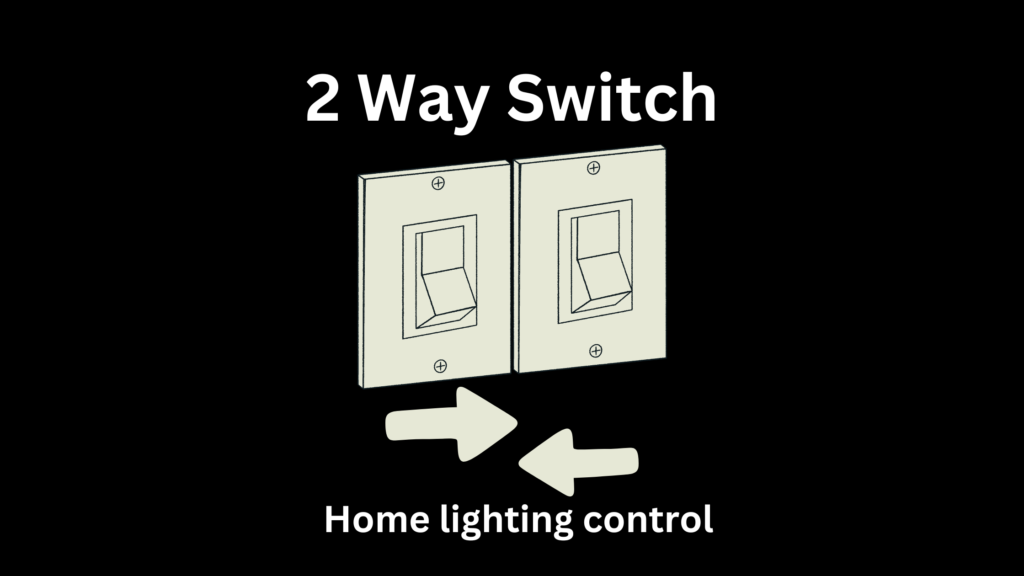
Understanding 2 Way Switch: Simplifying Home Lighting Control

Two-way switches are an essential component of modern electrical systems, providing convenient and flexible lighting control in homes and other buildings. They allow you to control a single light fixture from two different locations, making them perfect for staircases, long hallways, or large rooms. In this blog, we’ll explore the functionality, benefits, and installation process of two-way switches, providing you with a comprehensive understanding of this handy electrical feature. ๐Ÿ ๐Ÿ’ก How 2 Way Switch Enhance Your Home Lighting System Two-way switches bring a new level of convenience to your home lighting system. Imagine being able to turn off the lights in your living room from the hallway as you head to bed. This simple functionality can significantly enhance your daily routine, making your home more user-friendly and energy-efficient. ๐Ÿšถโ€โ™‚๏ธ๐Ÿ’ก๐Ÿšถโ€โ™€๏ธ The Basics of 2 Way Switch Wiring Explained Understanding the wiring of two-way switches is crucial for both installation and troubleshooting. A typical two-way switch setup involves two switches and one light fixture. Each switch has three terminals: common (C), L1, and L2. The common terminal is connected to the live wire, while L1 and L2 are connected to the corresponding terminals on the other switch. This creates a loop that allows current to flow through different paths depending on the switch positions, thus controlling the light from two locations. Upgrade Your Home with Efficient 2 Way Switch Upgrading your home with two-way switches can significantly enhance your lighting control and energy efficiency. Whether you’re renovating an old home or designing a new one, integrating two-way switches into your electrical plan is a smart move. They provide an easy way to manage lighting, especially in larger or more complex spaces. ๐Ÿก๐ŸŒŸ 2 Way Switch: The Key to Convenient Light Control Convenience is at the heart of two-way switches. They eliminate the need to walk across a room or climb stairs to turn lights on or off. This is particularly beneficial in multi-story homes, where you can control the lighting on different levels without having to move around. For example, turning off the downstairs lights from your upstairs bedroom is a simple yet impactful convenience. ๐Ÿ›๏ธ๐Ÿ”†๐Ÿ”ฆ Step-by-Step Guide to Installing 2 Way Switch Installing two-way switches might seem daunting, but with a clear guide, it becomes manageable. Hereโ€™s a step-by-step overview: ย  Turn Off Power: Safety first! Switch off the power at the circuit breaker to avoid any electrical accidents. โš ๏ธ๐Ÿ”Œ Remove Old Switches: If you’re replacing existing switches, carefully remove them and disconnect the wires. ๐Ÿ› ๏ธ Connect Wires: Connect the common terminal of the first switch to the live wire, and the common terminal of the second switch to the light fixture. Then, connect L1 and L2 terminals between the two switches. ๐Ÿ”„๐Ÿ”ง Secure the Switches: Fit the switches into the wall boxes and secure them with screws. ๐Ÿงฐ Test Your Work: Restore power and test the switches to ensure they work correctly. Flip one switch and then the other to see if the light turns on and off from both locations. โœ…๐Ÿ’ก Top Benefits of Using 2 Way Switch in Your Home Convenience: Control lights from multiple locations, adding flexibility to your home. ๐Ÿšถโ€โ™‚๏ธ๐Ÿ’ก๐Ÿšถโ€โ™€๏ธ Safety: Reduce the risk of trips and falls by ensuring adequate lighting in staircases and hallways. ๐Ÿšถโ€โ™‚๏ธโš ๏ธ Energy Efficiency: Easily turn off lights when not needed, saving energy and reducing utility bills. ๐ŸŒ๐Ÿ’ก Aesthetic Appeal: Achieve a modern and sophisticated look with streamlined lighting controls. โœจ๐Ÿก Troubleshooting Common Issues with 2 Way Switch Sometimes, two-way switches might not work as intended due to various issues. Here are some common problems and solutions: ย  Light Wonโ€™t Turn On: Check the connections to ensure all wires are securely attached. ๐Ÿ” Light Flickers: This could be due to loose wiring or a faulty bulb. Tighten connections and replace the bulb if necessary. ๐Ÿ’ก Switches Donโ€™t Work from Both Locations: Ensure that the L1 and L2 connections are correctly wired between the switches. ๐Ÿ”„๐Ÿ”ง 2 Way Switch: Essential Tips for DIY Electricians For those interested in DIY electrical work, here are some tips: ย  Safety First: Always turn off the power before working on any electrical system. โš ๏ธ๐Ÿ”Œ Use Proper Tools: Ensure you have the right tools for the job, such as wire strippers, screwdrivers, and voltage testers. ๐Ÿงฐ๐Ÿ”ง Double-Check Wiring: Carefully follow wiring diagrams and double-check your connections to avoid mistakes. ๐Ÿ“‹๐Ÿ”„ Consult a Professional: If in doubt, donโ€™t hesitate to consult a licensed electrician. Professional help can save time and ensure safety. ๐Ÿ‘จโ€๐Ÿ”งโœ… Innovations in 2 Way Switch Technology: Whatโ€™s New? The world of two-way switches is not static; innovations continue to enhance their functionality and user experience. Here are some recent advancements: ย  Smart Switches: Integrate with home automation systems, allowing control via smartphone apps or voice commands. ๐Ÿ“ฑ๐Ÿ—ฃ๏ธ Wireless Options: Some modern switches use wireless technology, eliminating the need for complex wiring. ๐Ÿ“ก๐Ÿ”‹ Energy Monitoring: Advanced switches can monitor and report energy usage, helping homeowners manage their electricity consumption more effectively. ๐ŸŒ๐Ÿ’ก Conclusion Two-way switches are a valuable addition to any home, offering enhanced convenience, safety, and energy efficiency. Whether you’re upgrading your existing electrical system or installing a new one, understanding and utilizing two-way switches can greatly improve your lighting control. With innovations like smart and wireless switches, the future of home lighting looks brighter than ever. ย  Embrace the convenience and efficiency of two-way switches and transform the way you control your homeโ€™s lighting. Happy installing!

Blog

All About CR2032 Battery: The Tiny Powerhouse โšก๐Ÿ”‹

Introduction to CR2032 Battery ๐Ÿ› ๏ธ Batteries come in all shapes and sizes, powering everything from small gadgets to large appliances. Among these, the CR2032 battery stands out as a tiny yet powerful coin cell battery. Whether you’re a tech enthusiast, a gadget lover, or just someone curious about the batteries that power your everyday devices, this blog will provide all the information you need about the CR2032 battery. What is a CR2032 Battery? ๐Ÿช™ The CR2032 battery is a coin-shaped lithium commonly used in small electronic devices. Its name derives from its dimensions: 20mm in diameter and 3.2mm in thickness. This compact size makes it ideal for devices where space is at a premium. Common Uses and Applications ๐Ÿ“ฑ CR2032 battery are incredibly versatile and used in a wide range of devices: Wristwatches โŒš Calculators โž— Car key fobs ๐Ÿš— Remote controls ๐Ÿ“บ Medical devices ๐Ÿฉบ Fitness trackers ๐Ÿƒ Technical Specifications ๐Ÿ” Physical Dimensions and Shape ๐Ÿ“ The CR2032 measures 20mm in diameter and 3.2mm in thickness, making it a perfect fit for slim and compact devices. Voltage and Capacity โšก The CR2032 operates at a voltage of 3V and typically has a capacity of around 220mAh. This means it can deliver a consistent current over a long period, which is essential for devices that require reliable power. Operating Temperature Range ๐ŸŒก๏ธ One of the key features of the CR2032 battery is its wide operating temperature range, from -20ยฐC to 70ยฐC. This makes it suitable for use in various environments, from cold outdoor conditions to warm indoor settings. Comparison with Other Batteries ๐Ÿ”‹ CR2032 vs. CR2025 ๐Ÿค” While both the CR2032 and CR2025 are 3V lithium coin cell batteries, the main difference lies in their thickness. The CR2025 is 2.5mm thick, while the CR2032 is 3.2mm thick. This difference in thickness translates to a slightly lower capacity for the CR2025 (approximately 170mAh) compared to the CR2032 (approximately 220mAh). CR2032 vs. Other Coin Cell Batteries ๐Ÿช™ The CR2032 often gets compared to other coin cell batteries like the CR2016. The primary difference is, again, in their thickness and capacity. The CR2016 is only 1.6mm thick and has a lower capacity, around 90mAh. How CR2032 Batteries Work ๐Ÿ”ฌ Chemical Composition and Reaction ๐Ÿงช CR2032 batteries are lithium primary batteries. They contain lithium, manganese dioxide, and an electrolyte solution. The chemical reaction between lithium and manganese dioxide generates the electric current. Energy Storage and Discharge Process ๐Ÿ”„ When the battery is in use, lithium ions move from the anode to the cathode through the electrolyte, creating a flow of electrons that powers your device. This discharge process continues until the chemical reactions can no longer sustain the flow of electrons. Advantages of CR2032 Batteries โœ… Longevity and Shelf Life โณ CR2032 batteries are known for their long shelf life, often retaining their charge for up to 10 years. This makes them an excellent choice for devices that are used infrequently but require reliable power when needed. Stability and Reliability ๐Ÿ”’ These batteries provide a stable voltage output, which is crucial for the consistent operation of electronic devices. They are also less prone to leakage compared to other battery types, enhancing their reliability. Common Applications ๐Ÿ’ก Electronics and Gadgets From remote controls to small gadgets, CR2032 batteries power a wide array of electronic devices. Their compact size and reliable power make them ideal for these applications. Medical Devices CR2032 batteries are used in medical devices such as glucose monitors and heart rate monitors. Their long-lasting and stable power supply ensures that these critical devices function correctly. Automotive Key Fobs Car key fobs are another common application for CR2032 batteries. The battery’s longevity ensures that your key fob works reliably over time, reducing the need for frequent replacements. Other Uses CR2032 batteries are also used in toys, fitness trackers, and various other small devices, showcasing their versatility. How to Replace a CR2032 Battery ๐Ÿ”ง Tools Needed ๐Ÿ› ๏ธ Small screwdriver Replacement CR2032 battery Tweezers (optional) Step-by-Step Guide ๐Ÿ“‹ Open the device: Use a small screwdriver to remove any screws or open the battery compartment. Remove the old battery: Carefully lift the old CR2032 battery out of its slot. Insert the new battery: Place the new CR2032 battery in the slot, ensuring the correct polarity. Close the device: Secure the battery compartment cover or screws back in place. Test the device: Turn on the device to ensure the new battery is working properly. Safety Precautions โš ๏ธ Proper Handling and Disposal ๐Ÿšฎ Always handle CR2032 batteries with care. Do not expose them to extreme temperatures or puncture them. Dispose of used batteries properly by following local recycling guidelines. Avoiding Short Circuits and Leaks ๐Ÿ›ก๏ธ Ensure that the battery terminals do not come into contact with metal objects, as this can cause a short circuit. Store batteries in a cool, dry place to prevent leaks. Environmental Impact and Recycling ๐ŸŒ Eco-Friendly Disposal Methods ๐ŸŒฑ CR2032 batteries contain materials that can be harmful to the environment if not disposed of properly. Many communities offer battery recycling programs to ensure safe disposal. Recycling Programs and Locations โ™ป๏ธ Check with your local waste management authority for information on battery recycling programs. Many electronics stores also offer recycling services for batteries. Frequently Asked Questions (FAQs) โ“ Common Queries and Concerns ๐Ÿ’ฌ How long do CR2032 batteries last? They typically last between 3 to 5 years in most devices, depending on usage. Can CR2032 batteries be recharged? No, CR2032 batteries are not rechargeable. Attempting to recharge them can be harmful. Where can I buy CR2032 batteries? They are widely available at electronics stores, supermarkets, and online retailers. Conclusion ๐ŸŽ‰ CR2032 batteries are small yet mighty power sources that play a crucial role in our everyday devices. From their technical specifications to their various applications, understanding these batteries can help you make the most of your gadgets and ensure they operate efficiently. Whether you’re replacing a battery in your remote control or looking to power a medical device, the CR2032 is a reliable choice.

AirTag Battery
Blog

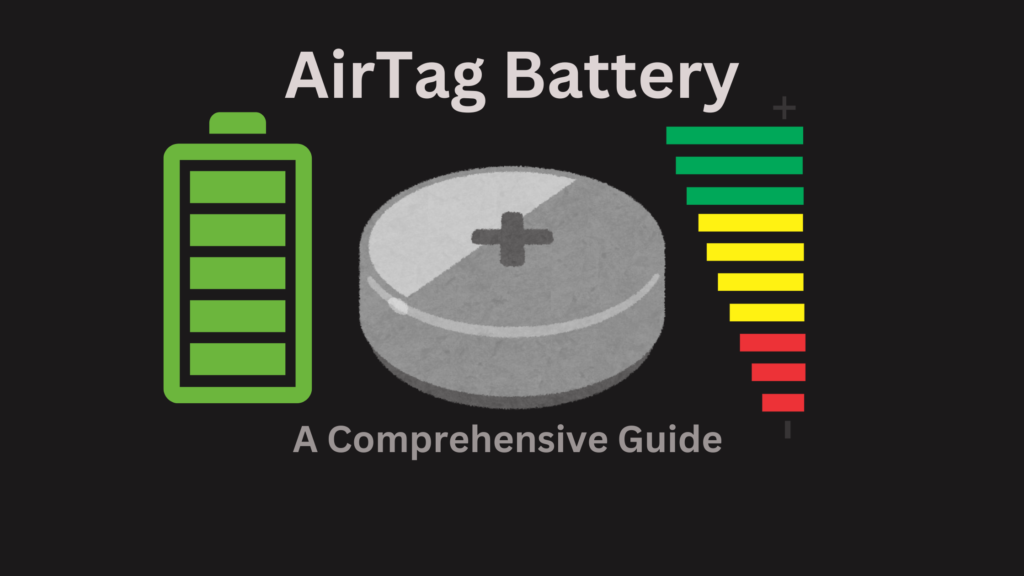
AirTag Battery, Everything You Need to Know: A Comprehensive Guide ๐Ÿ”‹

Welcome to our comprehensive guide on AirTag battery! Whether you’re a tech enthusiast or just someone trying to keep track of their belongings, understanding how to manage and replace the battery in your AirTag is crucial. This blog will cover everything you need to know about AirTag batteries in a friendly, easy-to-understand manner. Let’s dive in! ๐Ÿ˜Š What is an AirTag? ๐Ÿค” Before we delve into the specifics of the AirTag battery, letโ€™s quickly go over what an AirTag is. Apple’s AirTag is a small, coin-shaped device designed to help you track your belongings. By attaching an AirTag to your keys, wallet, bag, or other items, you can use the Find My app on your iPhone, iPad, or Mac to locate them if they go missing. The AirTag Battery: Key Specifications ๐Ÿ”‹ The AirTag uses a CR2032 coin cell battery, a common and widely available battery type. Here are some key specifications: Type: CR2032 Voltage: 3 volts Diameter: 20 mm Height: 3.2 mm Capacity: Approximately 225 mAh (milliampere-hours) These specifications make the CR2032 battery perfect for the low-power requirements of the AirTag. How Long Does the AirTag Battery Last? โณ One of the great things about the AirTag is its long battery life. Apple states that the CR2032 battery should last about a year under normal use conditions. This includes regular tracking and occasional use of the built-in speaker for locating items. How to Check Your AirTag’s Battery Level ๐Ÿ” To ensure your AirTag is always ready to help you find your belongings, it’s essential to keep an eye on the battery level. Here’s how you can check it: Open the Find My App: Launch the Find My app on your iPhone, iPad, or Mac. Select the Items Tab: Tap on the “Items” tab at the bottom of the screen. Choose Your AirTag: Select the AirTag you want to check. View Battery Status: You will see a battery icon indicating the current battery level of your AirTag. If the battery is low, the icon will display a low battery warning. How to Replace Your AirTag Battery ๐Ÿ› ๏ธ Replacing the battery in your AirTag is a simple process that you can do at home. Hereโ€™s a step-by-step guide: Prepare a New CR2032 Battery: Ensure you have a new CR2032 battery on hand. Open the AirTag: Hold the AirTag with the white side facing down. Press down on the stainless steel battery cover and rotate it counterclockwise until it stops. Remove the Old Battery: Lift off the cover and remove the old battery. Insert the New Battery: Place the new CR2032 battery into the AirTag with the positive side (marked with a “+”) facing up. Close the AirTag: Align the three tabs on the battery cover with the slots on the AirTag. Press down on the cover and rotate it clockwise until it clicks into place. Tips for Maximizing AirTag Battery Life ๐ŸŒŸ To get the most out of your AirTag battery, consider the following tips: Use the Speaker Sparingly ๐Ÿ”Š The built-in speaker is helpful for locating items, but frequent use can drain the battery faster. Use it only when necessary. Keep Your AirTag Clean ๐Ÿงผ Dirt and debris can interfere with the battery contacts. Regularly clean your AirTag with a soft, dry cloth to ensure optimal performance. Avoid Extreme Temperatures ๐ŸŒก๏ธ Exposure to extreme temperatures can reduce the battery’s lifespan. Keep your AirTag and the items it’s attached to away from very hot or cold environments. Regularly Check Battery Status ๐Ÿ“Š Make it a habit to check the battery status of your AirTag periodically. This way, you can replace the battery before it completely runs out. Environmental Considerations ๐ŸŒ When it comes to disposing of old batteries, itโ€™s essential to do so responsibly to minimize environmental impact. Here are some tips: Recycle Batteries Many communities have battery recycling programs. Check with your local waste management facility to find out where you can recycle your used CR2032 batteries. Use Rechargeable Alternatives While CR2032 batteries are not typically rechargeable, some devices support rechargeable alternatives. If your other gadgets use replaceable batteries, consider using rechargeable ones to reduce waste. Frequently Asked Questions (FAQs) โ“ Can I Use Any Brand of CR2032 Battery? ๐Ÿ”‹ Yes, you can use any brand of CR2032 battery in your AirTag. Just ensure it meets the standard specifications (3 volts, 20 mm diameter, 3.2 mm height) for proper fit and function. What Should I Do if My AirTag Battery Leaks? ๐Ÿงด If you notice any leakage from your AirTag battery, carefully remove it and dispose of it properly. Clean the battery compartment with a cotton swab dipped in vinegar or lemon juice, then wipe it dry. Insert a new battery and ensure its properly seated. How Do I Know When to Replace My AirTag Battery? โฐ Your AirTag will notify you when the battery is running low via the Find My app. When you see the low battery warning, itโ€™s time to replace the battery. Are CR2032 Batteries Readily Available? ๐Ÿ›’ Yes, CR2032 batteries are widely available and can be purchased at most electronics stores, supermarkets, and online retailers. They are one of the most common types of button cell batteries. Conclusion ๐Ÿ“ The AirTag is a handy device that helps you keep track of your belongings with ease. Understanding how to manage and replace its battery ensures it remains reliable and ready to use. With the simple steps and tips provided in this guide, you can maximize the battery life of your AirTag and ensure itโ€™s always there when you need it. We hope this comprehensive guide has provided you with all the information you need about AirTag batteries. Happy tracking! ๐Ÿ“๐Ÿ”‹๐Ÿ˜Š Thank you for reading! If you found this guide helpful, share it with others who might benefit from it. And don’t forget to recycle those old batteries! ๐ŸŒโ™ป๏ธ

LR44 battery
Blog

LR44 Battery, Everything You Need to Know: A Comprehensive Guide ๐Ÿ”‹

Welcome to the ultimate guide on LR44 battery! If you’ve ever found yourself wondering what these tiny powerhouses are, how they work, or what they’re used for, you’re in the right place. This blog will cover everything you need to know about LR44 batteries in a friendly, easy-to-understand manner. Let’s jump right in! ๐Ÿ˜Š What is an LR44 Battery? ๐Ÿค” The LR44 battery is a small, round, button-cell battery that is commonly used in a variety of small electronic devices. It’s part of the alkaline battery family and is known for its compact size and reliable power output. These batteries are also known by other names, such as A76, AG13, and 357, depending on the manufacturer and application. Key Specifications ๐Ÿ” Before diving into the details, let’s look at some key specifications of the LR44 battery: Voltage: 1.5 volts Diameter: 11.6 mm Height: 5.4 mm Capacity: Approximately 110-150 mAh (mill ampere-hours) These specs make the LR44 battery suitable for a variety of low-drain and intermittent use devices. Common Uses of LR44 Batteries ๐Ÿ”‹ LR44 batteries are incredibly versatile and can be found in many everyday gadgets and devices. Here are some of the most common uses: Watches โŒš One of the most popular uses for LR44 batteries is in wristwatches. Their small size and consistent voltage make them perfect for keeping timepieces running smoothly. Calculators ๐Ÿงฎ Many pocket calculators rely on LR44 batteries for power. These batteries can last a long time in such low-drain devices, providing reliable performance. Toys ๐Ÿงธ From small remote-controlled cars to interactive dolls, LR44 batteries are often used in toys. They provide the necessary power to keep the fun going for hours. Medical Devices ๐Ÿฅ Medical devices like digital thermometers, blood glucose meters, and hearing aids frequently use LR44 batteries due to their reliability and compact size. Laser Pointers and Flashlights ๐Ÿ”ฆ Small laser pointers and keychain flashlights often use LR44 batteries. Their ability to deliver a quick burst of power makes them ideal for these devices. How to Choose the Right LR44 Battery ๐Ÿ” When it comes to choosing the right LR44 battery for your needs, there are a few factors to consider: Brand and Quality Not all LR44 batteries are created equal. Some brands offer higher quality and longer-lasting performance. Duracell, Energizer, and Panasonic are known for producing reliable LR44 batteries. Expiry Date Always check the expiry date on the battery packaging. Using fresh batteries ensures you get the maximum possible lifespan and performance. Packaging LR44 batteries are often sold in multi-packs. If you use them frequently, buying in bulk can be more economical. Just ensure that you store the unused batteries properly to keep them fresh. How to Install LR44 Batteries ๐Ÿ› ๏ธ Installing an LR44 battery is usually straightforward, but it’s essential to do it correctly to avoid damaging your device or the battery. Here’s a simple step-by-step guide: Identify the Battery Compartment: Locate the battery compartment on your device. This is usually marked with a small battery icon or a “+” and “-” sign. Open the Compartment: Depending on the device, you may need a small screwdriver to open the battery compartment. Make sure not to lose any screws or small parts. Remove the Old Battery: If there is an old battery, carefully remove it. Note the orientation of the battery, as the new one will need to be installed in the same way. Insert the New Battery: Place the new LR44 battery in the compartment, ensuring the correct polarity. The “+” side should match the “+” terminal in the compartment. Close the Compartment: Secure the battery compartment cover. Make sure it’s tightly closed to prevent the battery from dislodging. Maintaining and Storing LR44 Batteries ๐Ÿ  To get the most out of your LR44 batteries, proper maintenance and storage are key. Here are some tips: Store in a Cool, Dry Place ๐ŸŒก๏ธ Batteries should be stored in a cool, dry place away from direct sunlight and moisture. Extreme temperatures can shorten their lifespan. Avoid Mixing Old and New Batteries ๐Ÿ”„ When replacing batteries in a device, always use a fresh set of batteries. Mixing old and new batteries can lead to leakage and reduced performance. Regularly Check Your Devices ๐Ÿ” For devices that you don’t use often, periodically check the batteries to ensure they haven’t leaked or corroded to prevent damage to the device. Dispose of Properly โ™ป๏ธ When your LR44 batteries are depleted, dispose of them properly. Many communities have battery recycling programs that allow you to drop off old batteries for safe disposal. Environmental Impact ๐ŸŒ While LR44 batteries are small, they can still have an environmental impact if not disposed of properly. Alkaline batteries contain materials that can be harmful to the environment if they end up in landfills. Here’s how you can minimize their environmental footprint: Recycle โ™ป๏ธ Many areas have battery recycling programs. Check with your local waste management facility to find out where you can recycle your used batteries. Use Rechargeable Alternatives ๐Ÿ”„ If your devices support them, consider using rechargeable batteries. While LR44 batteries are not typically rechargeable, some devices may have rechargeable counterparts available. Frequently Asked Questions (FAQs) โ“ Can LR44 Battery Be Recharged? ๐Ÿ”‹ No, LR44 battery is not designed to be recharged. Attempting to recharge them can cause leakage, overheating, or even an explosion. Always use them as intended and replace them with new batteries when they are depleted. How Long Do LR44 Batteries Last? โณ The lifespan of an LR44 battery depends on the device and usage. In low-drain devices like watches, they can last up to two years. In higher-drain devices, their lifespan may be shorter. Are LR44 Batteries the Same as AG13? ๐Ÿค” Yes, LR44 and AG13 are essentially the same batteries with different labels. They have the same dimensions and voltage and can be used interchangeably in most devices. What Should I Do if My LR44 Battery Leaks? ๐Ÿงด If your battery leaks, carefully remove it from the device, avoiding contact with the leaked material. Clean

AGM battery
Blog

The Ultimate Guide to AGM Battery: Benefits, Uses and Maintenance

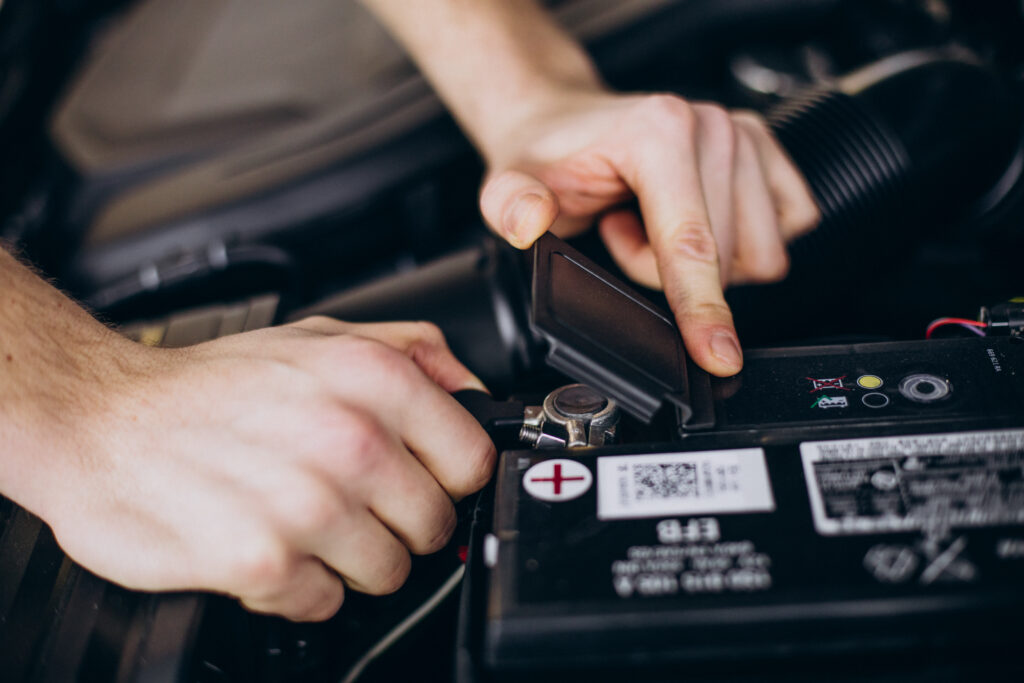
Welcome to the world of AGM battery! If you’re here, you’re probably curious about what these batteries are, why they matter, and how to take care of them. Whether you’re a seasoned battery enthusiast or just starting out, this guide will provide you with all the information you need in a friendly, easy-to-understand way. Let’s dive in! โšก๐Ÿ”‹ What Are AGM Battery? ๐Ÿค” AGM stands for Absorbent Glass Mat. These batteries are a type of lead-acid battery that uses a fiberglass mat to absorb the sulfuric acid, making them spill-proof and highly efficient. Unlike traditional flooded lead-acid batteries, AGM battery is designed to provide a higher power output and is more durable. Benefits of AGM Battery Maintenance-Free ๐Ÿ› ๏ธ One of the biggest advantages of AGM batteries is that they are maintenance-free. You don’t need to conscious about checking water levels or dealing with acid spills. This makes them perfect for people who prefer a hassle-free power solution. Longer Lifespan โณ AGM batteries typically last longer than traditional batteries. They are designed to withstand more charging cycles, making them a cost-effective choice in the long run. High Power Output ๐Ÿ’ช Thanks to their low internal resistance, AGM batteries can deliver high bursts of power. This makes them ideal for applications that require a lot of energy quickly, such as starting an engine. Vibration and Shock Resistant ๐Ÿš— AGM batteries are more resistant to vibrations and shocks compared to traditional batteries. This makes them a popular choice for off-road vehicles, boats, and motorcycles. Versatile Mounting Options ๐Ÿ”„ Because AGM batteries are sealed and spill-proof, they can be mounted in various positions without the risk of leaks. For a wide range of applications this flexibility makes them suitable. Common Uses of AGM Batteries ๐Ÿ”‹ Automotive AGM batteries are widely used in cars, especially those with advanced electrical systems and start-stop technology. They provide reliable power for starting the engine and running electronic components. Marine Boats and other marine vessels often use AGM batteries due to their resistance to vibrations and ability to provide consistent power. They are ideal for both starting the engine and powering onboard electronics. RVs and Campers For RV and camper owners, AGM batteries are a popular choice because of their durability and low maintenance. They can handle the power demands of various appliances and electronics used during camping trips. Solar Power Systems ๏ธ AGM batteries are commonly used in solar power systems for energy storage. Their ability to handle deep discharges and long lifespan makes them suitable for storing solar energy for later use. Backup Power Supplies AGM batteries are often used in uninterruptible power supplies (UPS) and other backup power systems. They provide reliable power during outages, ensuring that critical devices and systems remain operational. How to Choose the Right AGM Battery ๐Ÿ” Choosing the right AGM battery depends on your specific needs. Here are some factors to consider: Capacity (Ah) ๐Ÿ”ข For measuring the capacity of battery ampere-hours (Ah) are used. It shows us that how much energy the battery can store. Choose a battery with a capacity that meets the power demands of your application. Cold Cranking Amps (CCA) โ„๏ธ For automotive applications, check the Cold Cranking Amps (CCA) rating. This indicates the battery’s ability to start an engine in cold temperatures. For colder climates a higher CCA rating is better. Reserve Capacity (RC) ๐Ÿ•ฐ๏ธ Reserve Capacity (RC) is the amount of time a battery can provide power before it needs to be recharged. This is important for applications that require continuous power over a long period. Size and Fit ๐Ÿ“ Ensure the battery fits in the designated space in your vehicle or equipment. Check the dimensions and terminal positions to avoid installation issues. How to Maintain Your AGM Battery ๐Ÿ› ๏ธ Even though AGM batteries are low-maintenance, there are still some best practices to ensure they last as long as possible. Regular Charging AGM batteries should be kept fully charged to maximize their lifespan. If you’re not using the battery regularly, consider using a battery maintainer or trickle charger to keep it topped up. Avoid Deep Discharges While AGM batteries can handle deep discharges, it’s best to avoid them when possible. Try to keep the battery charge above 50% to prolong its life. Store Properly If you’re storing your AGM battery for an extended period, make sure it’s fully charged and kept in a cool, dry place. Time to time check the charge and top it up if necessary. Monitor Battery Health Use a battery tester to regularly check the health of your AGM battery. This can help you catch potential issues early and take corrective action. Common Issues and Troubleshooting ๐Ÿ› ๏ธ Battery Not Holding Charge ๐Ÿ”‹ If your AGM battery isn’t holding a charge, it could be due to sulfation, which is the build-up of lead sulfate crystals. This can be resolved with a desulfator or by applying a high-voltage equalizing charge. Swelling or Bulging ๐Ÿšซ Swelling or bulging can occur if the battery is overcharged or exposed to high temperatures. If you notice this, stop using the battery immediately and replace it. Reduced Capacity ๐Ÿ“‰ Over time, all batteries lose capacity. If you notice a significant reduction in capacity, it might be time to replace the battery. Environmental Impact and Recycling ๐ŸŒ AGM batteries are more environmentally friendly compared to traditional lead-acid batteries because they are sealed and don’t leak acid. However, they still contain lead and other hazardous materials, so proper disposal is crucial. Always recycle your old batteries at designated recycling centers to minimize environmental impact. Conclusion ๐Ÿ“ AGM batteries are a fantastic choice for a wide range of applications due to their high performance, durability, and low maintenance requirements. By understanding their benefits, uses, and maintenance needs, you can make the most out of your AGM battery and enjoy reliable power for years to come. If you found this guide useful, feel free to share it with others who might benefit. And if you have any questions or additional tips,

Car battery charger
Blog

The Ultimate Guide to Car Battery Chargers ๐Ÿš—๐Ÿ”‹

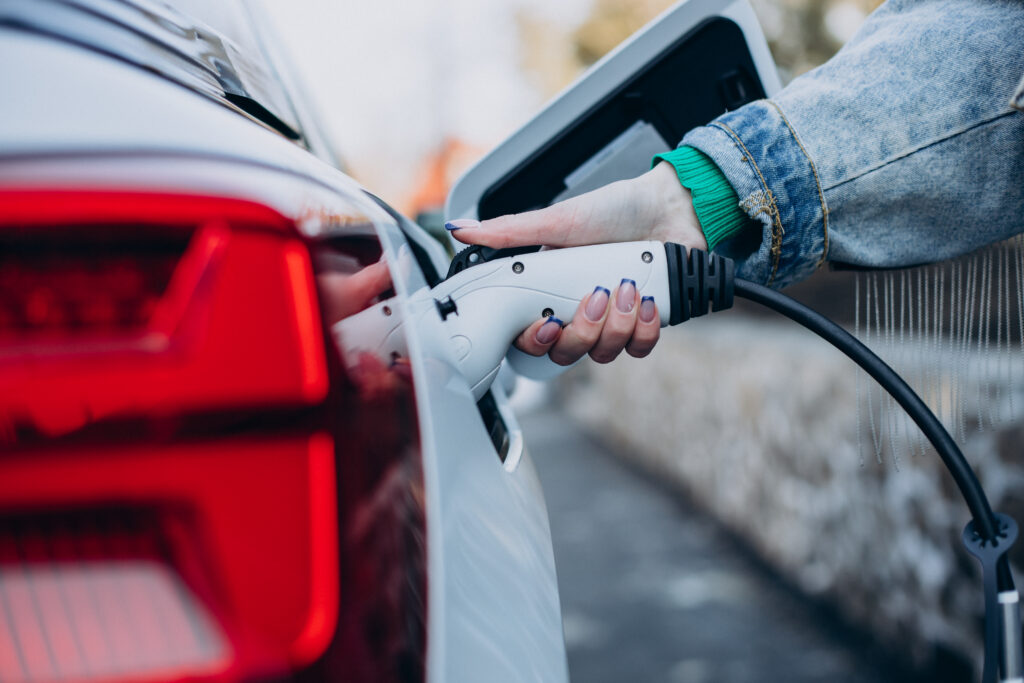
Introduction Having a reliable car battery charger can be a lifesaver, literally. Imagine this: it’s a cold winter morning, and you’re running late for your work. You hop into your car, turn the key, and you got your car battery is dead. This is where a car battery charger can come to your rescue, saving you time, money, and stress. In this guide, we will delve into everything you need to know about car battery chargers, from types and key features to maintenance tips and troubleshooting common issues. Types of Car Battery Chargers When it comes to car battery chargers, there are several types to choose from, each with its own unique features and benefits. Let’s explore the most common ones: Trickle Chargers โณ Trickle chargers are designed to charge your car battery slowly and steadily. They are perfect for maintaining a battery over a long period, ensuring it doesn’t lose its charge when not in use. These chargers are ideal for seasonal vehicles like motorcycles and classic cars. Smart Chargers ๐Ÿค– Smart chargers are the high-tech option in the world of battery chargers. They come equipped with microprocessors that monitor the battery’s condition and adjust the charging process accordingly. This ensures a safe and efficient charge, prolonging the life of your battery. Solar Chargers โ˜€๏ธ Eco-friendly and convenient, solar chargers use the power of the sun to charge your car battery. They are great for those who want a green solution and don’t mind a slower charging process. Plus, they are perfect for use in remote areas where access to electricity might be limited. Jump Starters with Built-in Chargers ๐Ÿš€ These versatile devices combine the functionality of a jump starter and a battery charger. They are a must-have for emergencies, allowing you to jump-start your car and then charge the battery fully. They are portable and often come with additional features like USB ports for charging other devices. Key Features to Consider When shopping for a car battery charger, it’s important to consider several key features to ensure you get the best product for your needs: Charging Speed The charging speed of a battery charger is crucial, especially if you need to get back on the road quickly. Chargers are rated in amps, with higher amps indicating a faster charge. However, fast charging can sometimes reduce battery lifespan, so it’s essential to strike a balance. Battery Compatibility Not all chargers are compatible with every type of car battery. Make sure to check if the charger you are considering works with your specific battery type, whether it’s lead-acid, AGM, gel cell, or lithium-ion. Safety Features Safety should always be a priority when dealing with car batteries. Look for chargers with features like reverse polarity protection, short circuit protection, and overcharge protection to ensure safe operation. Portability If you plan to carry your charger with you, portability is a key factor. Select compact, lightweight models for easy to store and transport. Additional Features Many modern chargers come with extra features that can be very useful. These might include LCD displays, multiple charging modes (e.g., maintenance mode, desulfation mode), and built-in testing capabilities. How to Use a Car Battery Charger Using a car battery charger might seem intimidating at first, but it’s quite straightforward once you know the steps. Here’s a simple guide: Read the Manual ๐Ÿ“–: Always start by reading the manufacturer’s instructions for your specific charger. Safety First ๐Ÿงค: Wear safety gloves and goggles to protect you from any potential acid splashes. Prepare the Battery ๐Ÿ”‹: Ensure the battery is clean and the terminals are free of corrosion. Connect the Charger ๐Ÿ”Œ: Attach the charger’s positive cable to the positive terminal of the battery, and the negative cable to the negative terminal. Select the Charging Mode ๐Ÿ”„: Set the charger to the appropriate mode and amperage based on your battery type and the charge level needed. Start Charging โ–ถ๏ธ: Plug in the charger and turn it on. Monitor the progress using the chargerโ€™s display or indicator lights. Finish Up โœ…: Once the battery is fully charged, turn off the charger and disconnect the cables, starting with the negative terminal. Benefits of Owning a Car Battery Charger There are numerous benefits to having your own car battery charger: Preventing Dead Batteries A car battery charger can help prevent the frustration and inconvenience of a dead battery, especially during extreme weather conditions. Cost Savings Regularly maintaining your battery with a charger can extend its lifespan, saving you money on replacements. Convenience Having a charger on hand means you can charge your battery at your convenience, without needing to call for roadside assistance or wait for a jump start. Environmental Benefits Properly maintaining your battery helps reduce waste and is more environmentally friendly. Solar chargers also offer a green alternative to traditional charging methods. Top Car Battery Chargers on the Market Here are some of the best car battery chargers available today, based on reviews and features: NOCO Genius1 Known for its advanced features and reliability, the NOCO Genius1 is a top choice for smart chargers. It offers a range of modes, including maintenance and making it versatile and efficient. Battery Tender Plus A trusted name in the industry, the Battery Tender Plus is a trickle charger that provides a safe and steady charge, perfect for long-term battery maintenance. Schumacher SC1281 This powerful charger offers fast charging and jump-starts capabilities, making it ideal for emergencies. It also includes a digital display and automatic voltage detection. Sunway Solar Car Battery Charger For those looking for an eco-friendly option, the Sunway Solar Car Battery Charger is a great choice. It’s easy to use and perfect for keeping your battery topped up when access to power is limited. Maintenance Tips for Car Battery Chargers To ensure your charger remains in good working condition, follow these maintenance tips: Proper Storage ๐Ÿ  Store your charger in a cool, dry place away from direct sunlight and moisture. Regular Inspections ๐Ÿ” Check the charger and cables regularly for any

Car Alternator
Blog

A Comprehensive Guide of Alternator Replacement Cost ๐Ÿ’ก

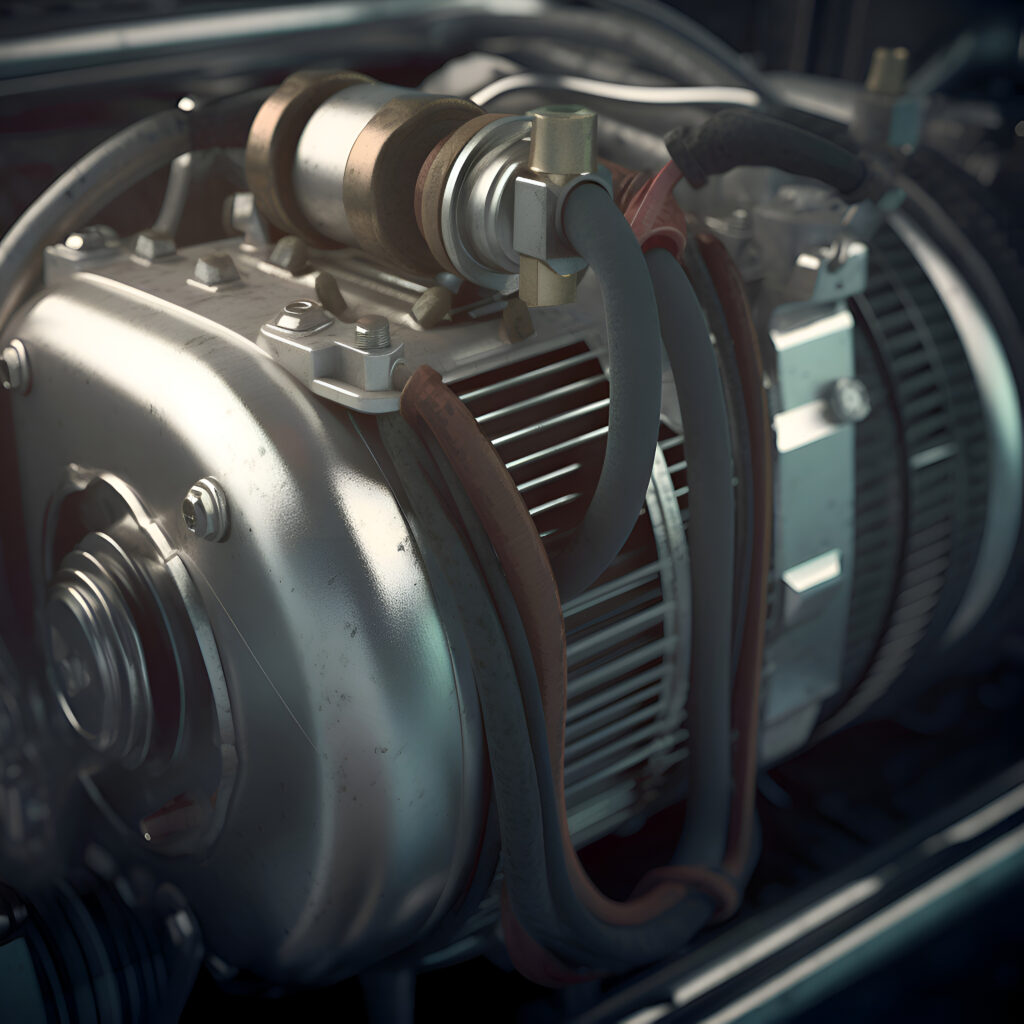
When it comes to keeping your vehicle running smoothly, few components are as vital as the alternator. This essential part ensures that your car’s battery remains charged and all electrical systems function properly. However, like any part of a vehicle, alternators can wear out and need replacing. In this blog, we’ll explore everything you need to know about alternator replacement costs, from identifying issues to finding the best deals. Let’s dive in! Introduction The alternator is often an unsung hero in the realm of car maintenance. It plays a critical role in converting mechanical energy into electrical energy, powering your car’s electrical systems and charging the battery while you drive. Without a properly functioning alternator, your vehicle will quickly run into trouble, leaving you stranded or causing further damage to the electrical system. Signs Your Alternator Needs Replacement ๐Ÿ”ง Knowing when your alternator is on its last legs can save you from unexpected breakdowns. Here are some common symptoms to watch out for: Dim or Flickering Lights: If your headlights or dashboard lights are dimming or flickering, it could indicate a failing alternator. Warning Light: Most vehicles have a warning light on the dashboard (often shaped like a battery) that illuminates when thereโ€™s an alternator issue. Weak or Dead Battery: A failing alternator won’t charge the battery properly, leading to frequent dead battery situations. Electrical Issues: Problems with power windows, locks, or other electronic components can be a sign of alternator trouble. Strange Noises: Grinding or whining noises from the engine area can indicate worn-out alternator bearings. Addressing these issues promptly can prevent further damage and avoid more costly repairs down the line. Factors Affecting Alternator Replacement Cost ๐Ÿ’ฐ Several factors influence the cost of replacing an alternator: Vehicle Make and Model: The alternator replacement cost can vary widely depending on your vehicleโ€™s make and model. Luxury or imported cars often have more expensive parts. Alternator Brand and Quality: OEM (Original Equipment Manufacturer) parts are typically more expensive than aftermarket alternatives, but they often come with a warranty. Labor Costs: Labor costs can vary significantly based on your location and the complexity of the replacement process. Additional Parts and Services: Sometimes, additional parts such as belts or pulleys need replacing alongside the alternator, adding to the total cost. Average of Alternator Replacement Cost ๐Ÿ’ณ On average, an alternator replacement cost ranges from $300 to $500, including parts and labor. Hereโ€™s a breakdown: Parts: An alternator alone can cost between $100 and $400, depending on the vehicle and part quality. Labor: Labor costs typically range from $100 to $200. Rates can be higher in urban areas or at dealerships. Vehicle Type Comparison: Compact Cars: Generally, the least expensive, with costs around $300 to $400. Mid-Size and Full-Size Cars: Costs can range from $400 to $600. Luxury and Imported Cars: Expect to pay anywhere from $500 to $1000 or more. DIY vs. Professional Replacement ๐Ÿ› ๏ธ Deciding whether to replace the alternator yourself or hire a professional depends on your mechanical skills and tools. DIY Replacement Pros: Cost Savings: You can save on labor costs by doing the work yourself. Learning Experience: Gaining knowledge and skills for future repairs. Cons: Time-Consuming: It can take several hours, especially if you’re unfamiliar with the process. Risk of Mistakes: Incorrect installation can lead to further damage or safety issues. Professional Replacement Pros: Expertise: Professional mechanics have the experience and tools to do the job efficiently. Warranty: Many shops offer a warranty on parts and labor. Cons: Higher Cost: Professional services come with higher labor fees. Tools Needed for DIY Replacement: Wrench set Screwdrivers Pliers Belt tensioner tool Multi-meter for testing Save Money on Alternator Replacement Cost ๐Ÿ’ก Replacing an alternator doesn’t have to break the bank. We are providing some tips to save your money: Shop Around for Parts: Compare prices online and at local auto parts stores. Websites like Amazon or RockAuto often have competitive prices. Use Coupons and Discounts: Look for promotions at local repair shops or online. Consider Aftermarket Parts: While OEM parts are preferable, high-quality aftermarket parts can be more affordable. Do Some Work Yourself: If you’re comfortable, consider doing simpler tasks yourself, like removing old parts or testing the system? Warranty and Insurance Considerations ๐Ÿ“‘ Before you pay out of pocket, check if your warranty or insurance covers alternator replacement: Manufacturerโ€™s Warranty: Some new cars come with warranties that cover the alternator for a specific period or mileage. Extended Warranty: If you purchased an extended warranty, it might include alternator replacement. Insurance: Comprehensive car insurance might cover alternator damage caused by specific incidents, like flooding or accidents. Where to Get Your Alternator Replaced ๐Ÿข Choosing the right place for alternator replacement is crucial for quality and cost: Dealerships: While often more expensive, dealerships provide expert service and OEM parts. Independent Repair Shops: Typically cheaper than dealerships and can offer excellent service. Specialty Auto Shops: Shops that specialize in your vehicle’s make may provide the best balance of cost and expertise. Mobile Mechanics: Convenient and often cheaper, they come to your location to perform the repair. Evaluating Mechanics: Certifications: Look for ASE-certified mechanics. Reviews: Check online reviews and ratings. Estimates: Get multiple quotes to compare prices and services. Conclusion ๐ŸŽ‰ Replacing an alternator is a crucial maintenance task that, if ignored, can lead to more significant issues. Understanding the costs involved and knowing how to identify problems early can save you time and money. Whether you choose to tackle the replacement yourself or hire a professional, being informed helps ensure you get the best value and service. FAQs โ“ Q: Are there ways to extend the life of my alternator? A: Regular maintenance, such as keeping your engine clean and ensuring the alternator belt is properly tensioned, can help extend its life. Q: Can a failing alternator damage my car? A: Yes, a failing alternator can cause other electrical components to malfunction, leading to more extensive repairs. Q: How long does an alternator replacement take? A: For a professional mechanic, it

Mushroom table lamp
Blog

Light Up Your Space with a “Mushroom Table Lamp” ๐Ÿ„โœจ

Mushroom Table Lamps There’s something magical about mushroom table lamps. These charming and whimsical lighting fixtures are becoming a popular choice for home decor enthusiasts. Whether youโ€™re looking to add a touch of vintage flair, a splash of color or a bit of nature-inspired design to your space, a mushroom table lamp might just be the perfect addition. The Allure of Mushroom Table Lamps ๐ŸŒŸ Mushroom table lamps, with their rounded tops and often slender bases, resemble the shape of a mushroom. Their design is simple yet captivating, making them a versatile piece for any room. Hereโ€™s why theyโ€™re winning hearts: Nostalgic Vibes : Many mushroom lamps draw inspiration from mid-century modern design. Their retro look can evoke a sense of nostalgia, reminding us of the stylish homes from the 60s and 70s. Natural Aesthetic : These lamps bring a touch of the outdoors inside. The natural shape and soft, diffused light can create a calming and inviting atmosphere. Versatile Style : Available in a range of materials, colors, and sizes, mushroom table lamps can fit into various interior design themes, from minimalist and contemporary to eclectic and bohemian. Choosing the Perfect Mushroom Lamp ๐Ÿ›‹๏ธ When selecting a mushroom table lamp, consider the following aspects to find the one that best fits your space and style: Material and Finish ๐Ÿบ: Mushroom lamps come in various materials such as glass, metal, ceramic, and plastic. A glass lamp might offer a more elegant and vintage look, while a metal one can add a modern, industrial touch. Color and Light ๐ŸŒˆ: Decide whether you want your lamp to be a statement piece with a bold color or a subtle addition with neutral tones. Also, consider the light quality โ€“ do you prefer a warm, ambient glow or a brighter, more focused light? Size and Scale ๐Ÿ“: Ensure the size of the lamp complements the space where it will be placed. A larger lamp might be suitable for a spacious living room, while a smaller one could be perfect for a bedside table or a reading nook. Styling Tips for Your Mushroom Lamp Here are some creative ideas to incorporate a mushroom table lamp into your home decor: Bedside Bliss ๐Ÿ›๏ธ: Place a mushroom lamp on your nightstand for a soft, comforting light that’s perfect for winding down in the evening. Reading Nook ๐Ÿ“š: Add a cozy touch to your reading corner. The diffused light will create a perfect ambiance for getting lost in a good book. Living Room Accent ๐Ÿ›‹๏ธ: Use a colorful mushroom lamp as an eye-catching piece on a side table or a console. It can add character and charm to your living area. Office Elegance ๐Ÿ’ผ: Brighten up your workspace with a sleek, modern mushroom lamp. It can make your desk feel more inviting and stylish. Conclusion ๐ŸŒŸ A mushroom table lamp is more than just a source of light; itโ€™s a piece of art that can transform your space. With their unique shape and versatile design, these lamps can enhance the ambiance of any room. Whether you’re aiming for a retro look or a modern aesthetic, there’s a mushroom lamp out there that can cater to your style needs. So, why not add a touch of whimsy and warmth to your home with a delightful mushroom table lamp?Happy decorating!

Scroll to Top